Every day is a coin. Spend it well.
Daybank shows how many days you have left, how much free time is really yours after sleep and work, and helps you plan your quarter, build habits that stick and share life with the people you love.
- ✓ Free to use
- ✓ No credit card
- ✓ Web, phone & Chrome
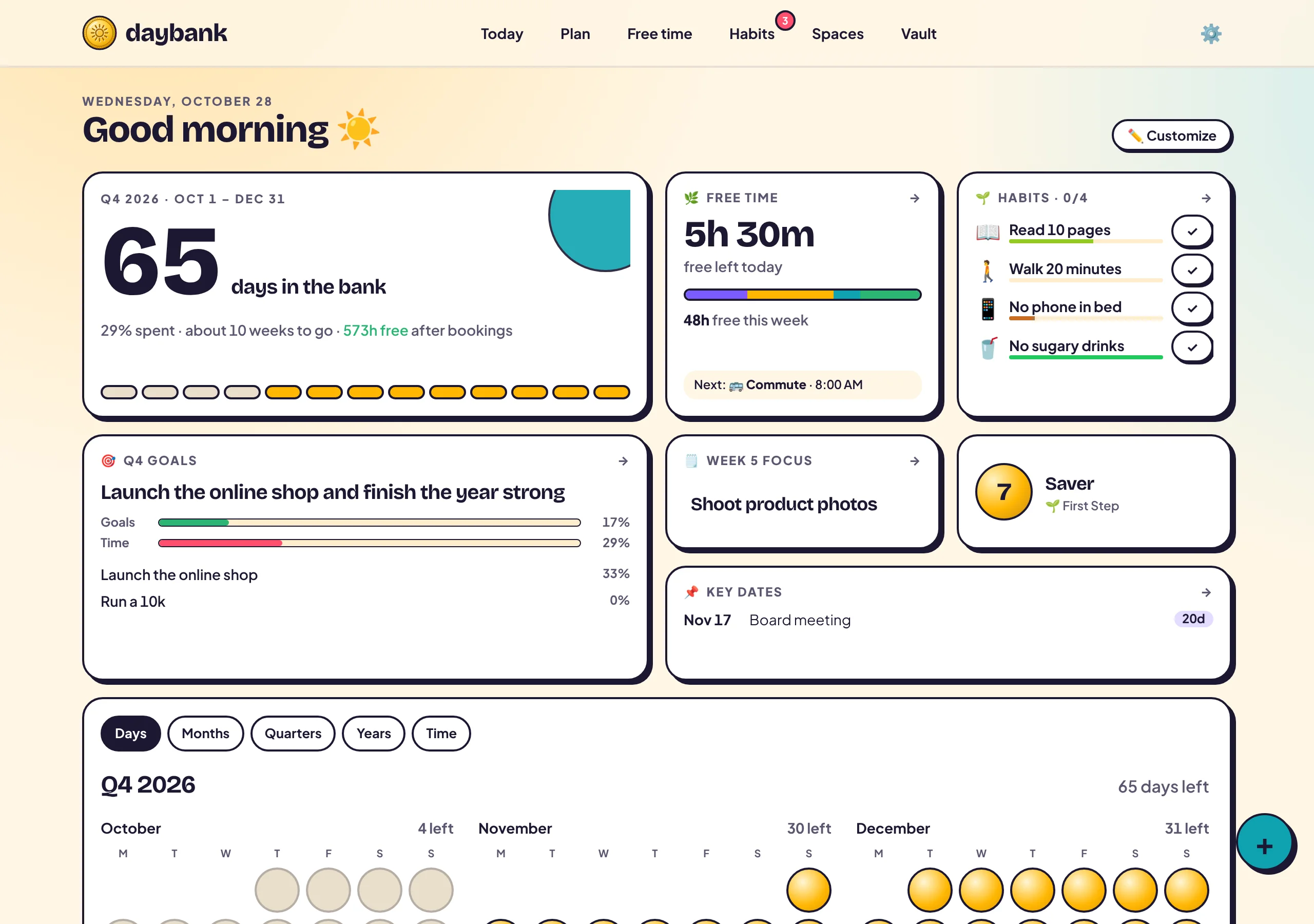
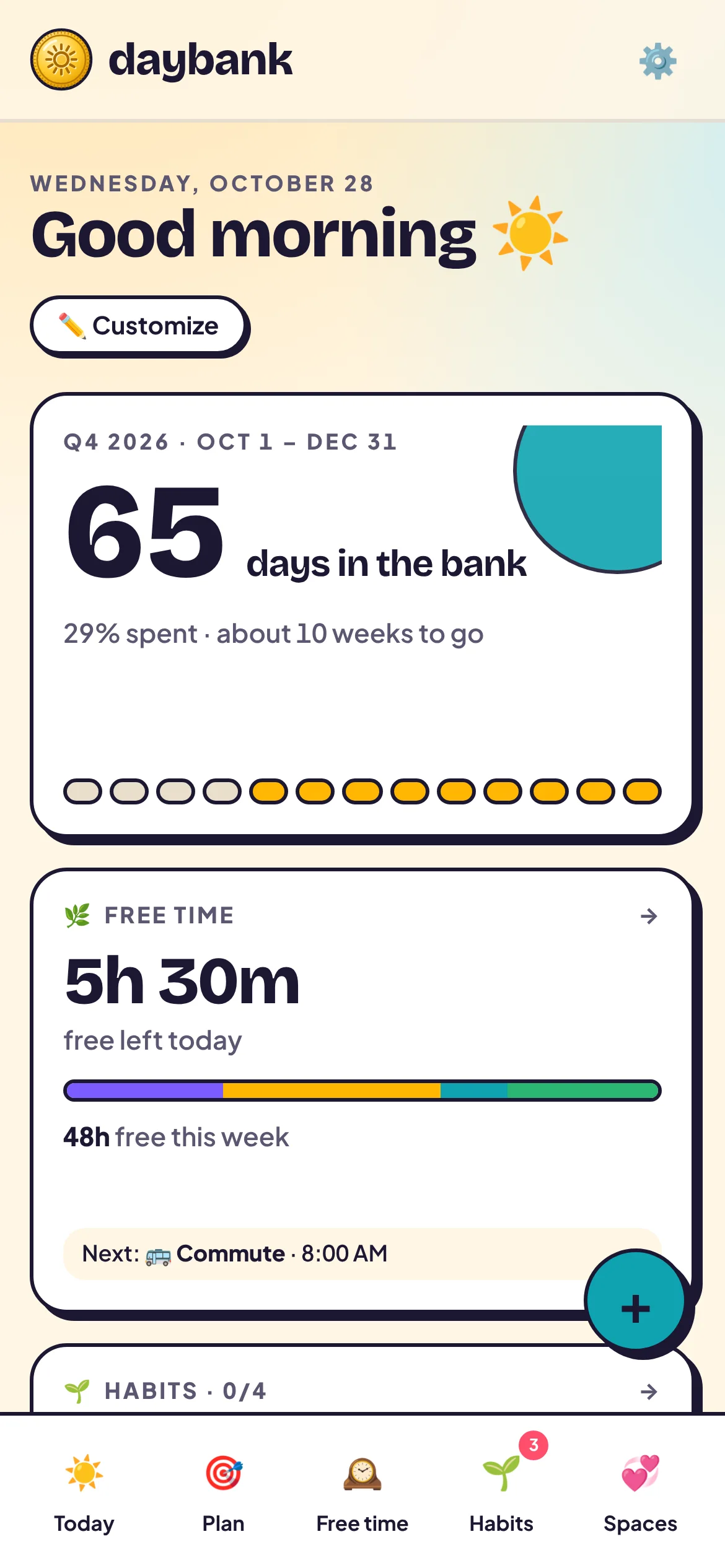
Right now, for you
Time is the one balance you can’t top up.
These numbers are live. Most people only notice the quarter ending when it already has. Daybank keeps it in sight, kindly.
Try it · 10 seconds
How much of your week is really yours?
Drag the sliders. Most people are surprised.
That’s about 622 free hours left this quarter, or 25.9 full days. Daybank helps you spend them on purpose.
Everything in one place
See your time. Plan it. Make it count.
🪙 Days in the bank
Your quarter, as coins you can see running out
Every day is a coin. Spent days fade, today glows, and the rest wait in the bank. It turns “someday” into a number you can feel.
- ✓Days left in the week, month, quarter and year, live
- ✓Fiscal years and weekdays-only counting
- ✓A dashboard of widgets you drag, resize and make your own
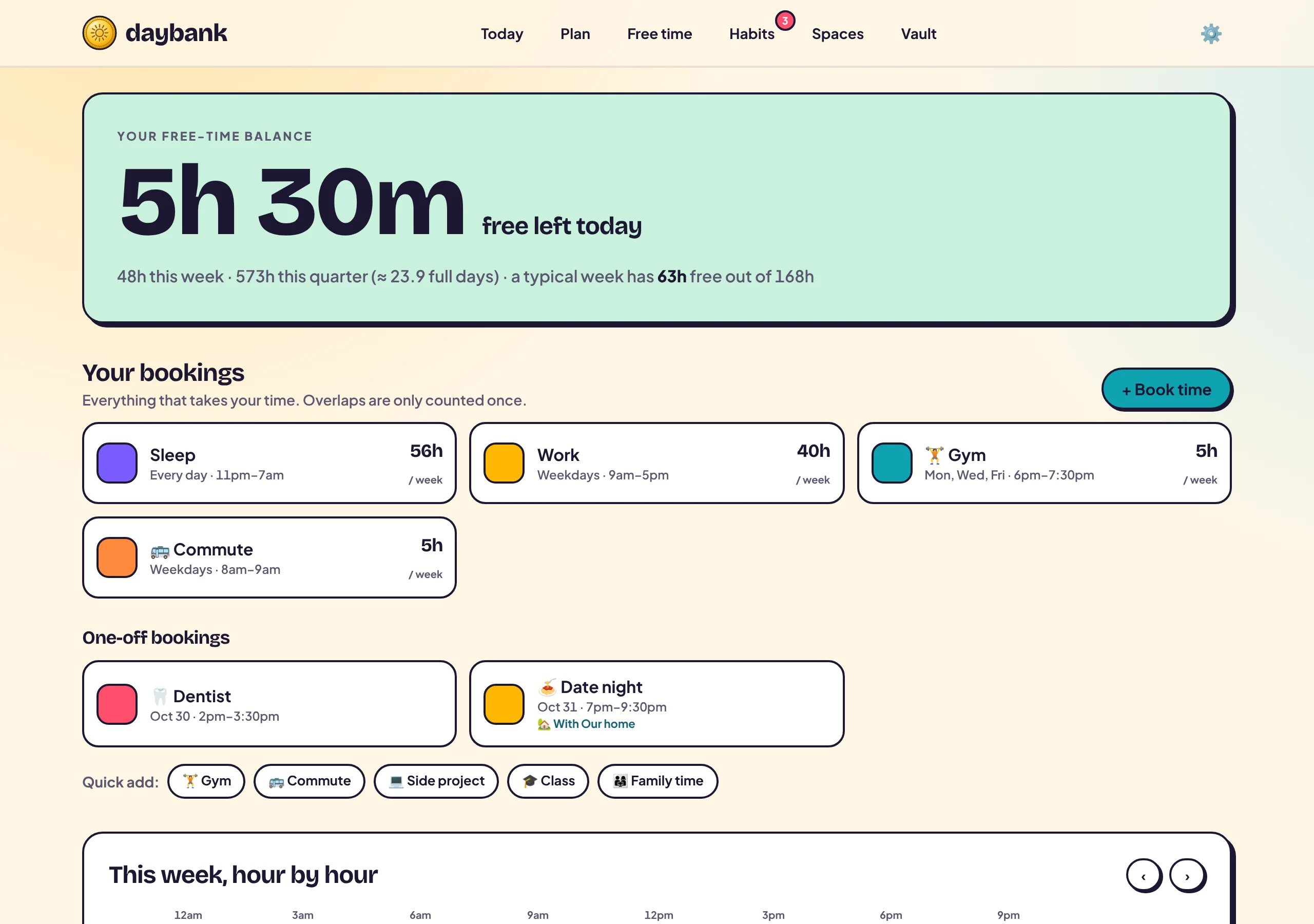
🕰️ Real free time
Find out how much time is actually yours
Book your sleep, work shifts, commute, gym and one-off plans. Daybank subtracts them all (overlaps counted once) and shows the hours that are truly free.
- ✓Multiple work blocks and split shifts
- ✓Weekly routines and one-off bookings
- ✓Free time today, this week and this quarter
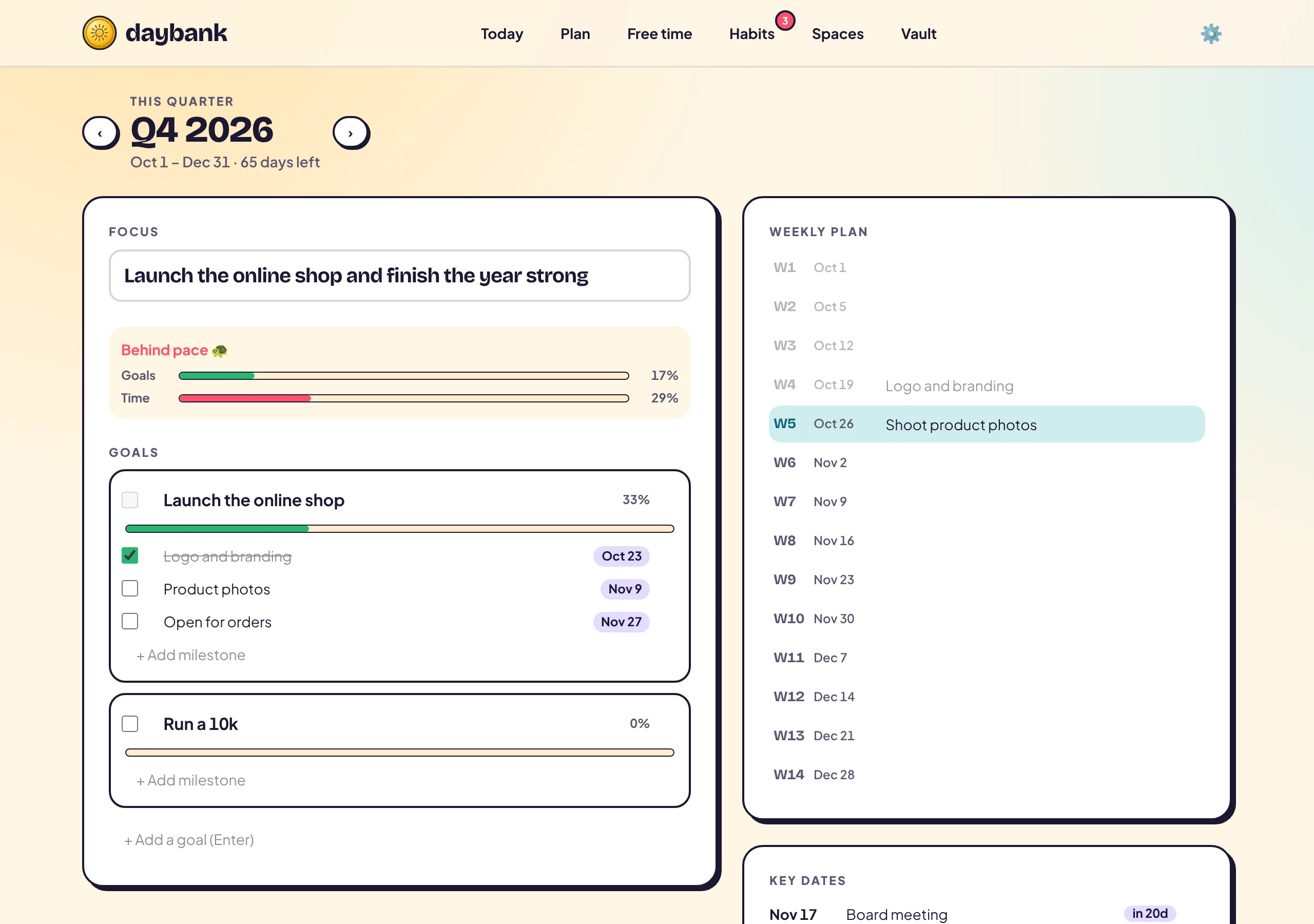
🎯 Quarterly plans
Plan 13 weeks, not 365 days
A quarter is long enough to matter and short enough to finish. Set one focus, a few goals with milestones, and a theme for every week.
- ✓A pace check: are your goals ahead of the clock?
- ✓Weekly focus and key dates with countdowns
- ✓An end-of-quarter review to carry lessons forward
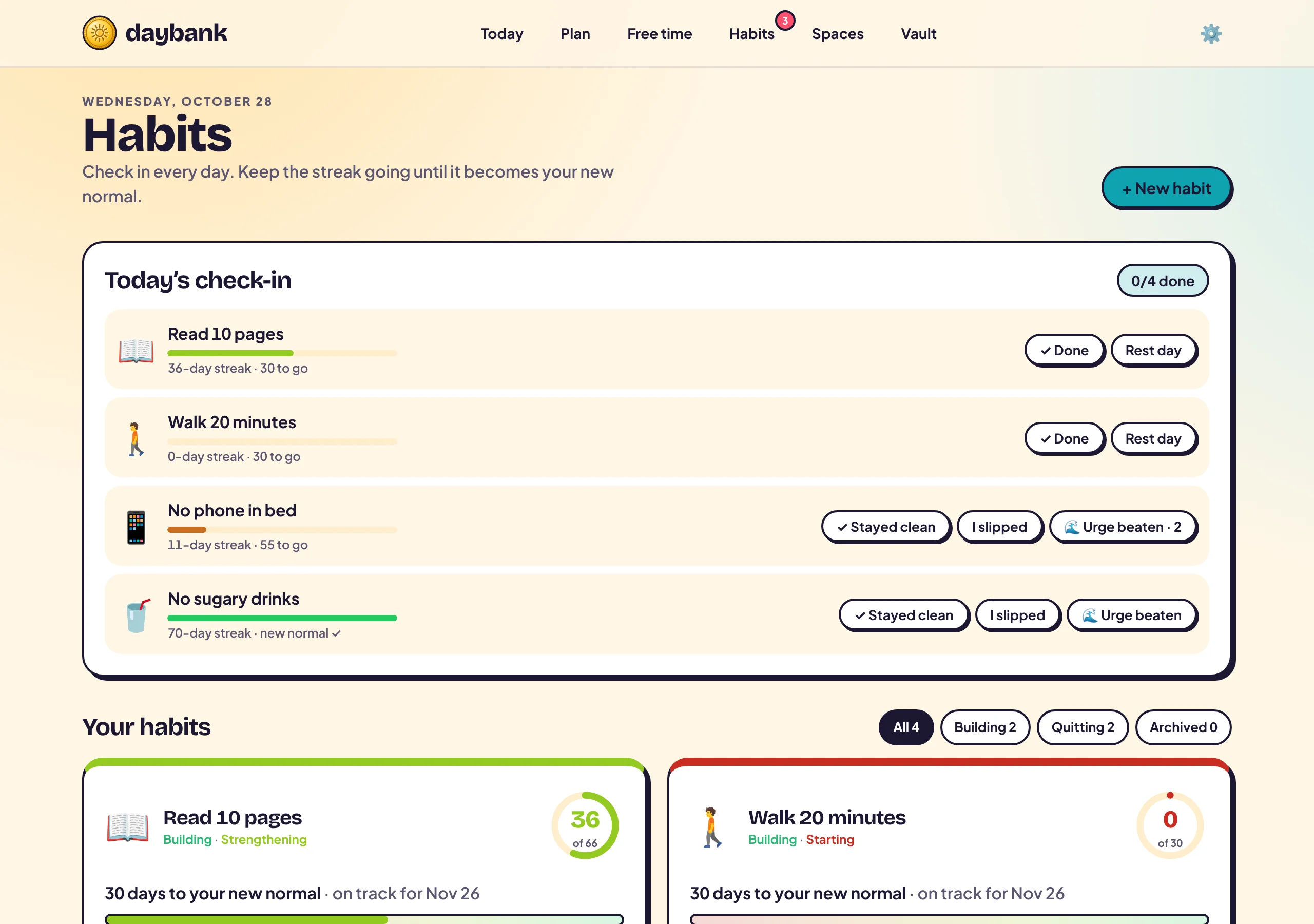
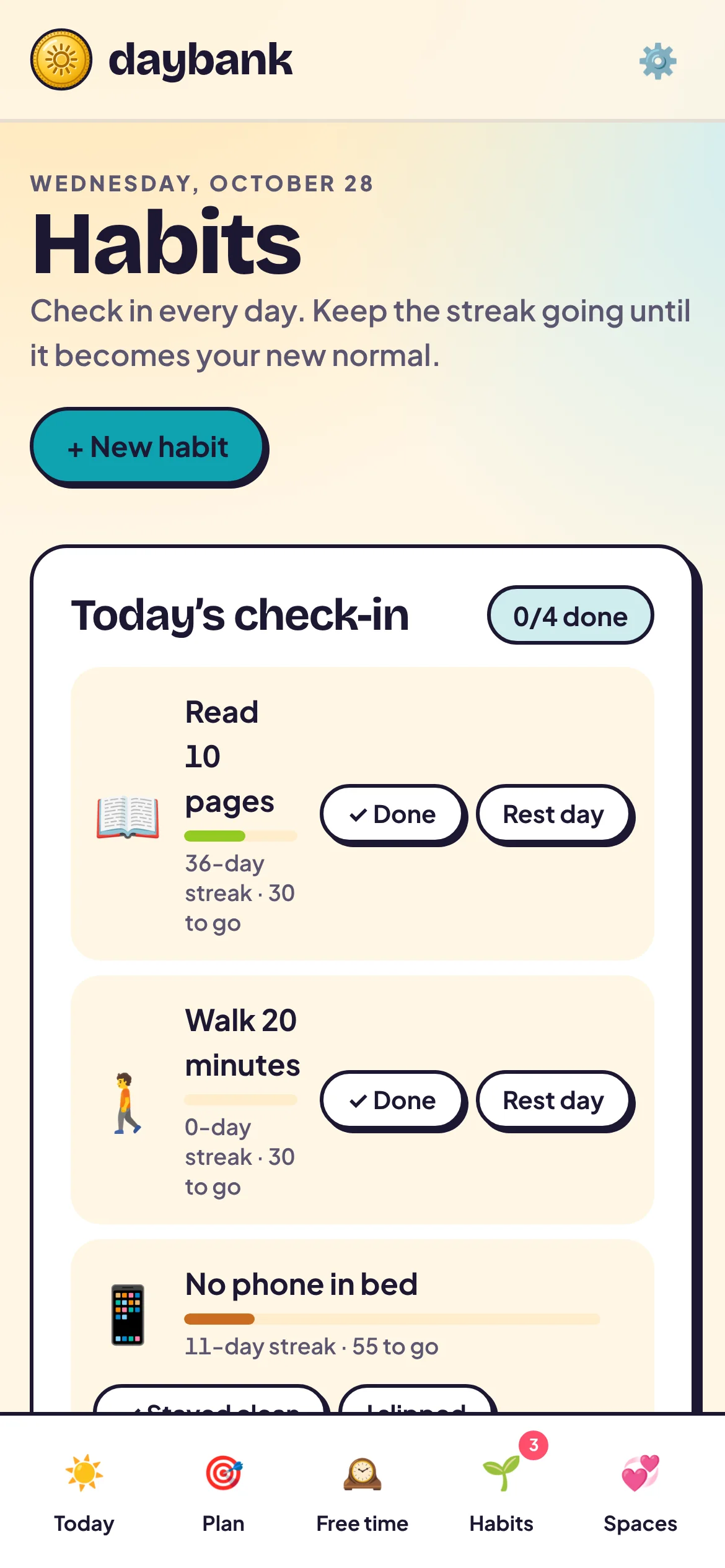
🌱 Habits that stick
Build good habits. Break bad ones. For good.
Daily check-ins with streaks to 66 days, the research median for a habit to become automatic. Miss once? Fine. Never miss twice.
- ✓Good habits with cues; bad habits with if-then plans
- ✓Log urges you beat, not just days
- ✓Colours that warm up as you get closer to your goal
🏆 The Vault
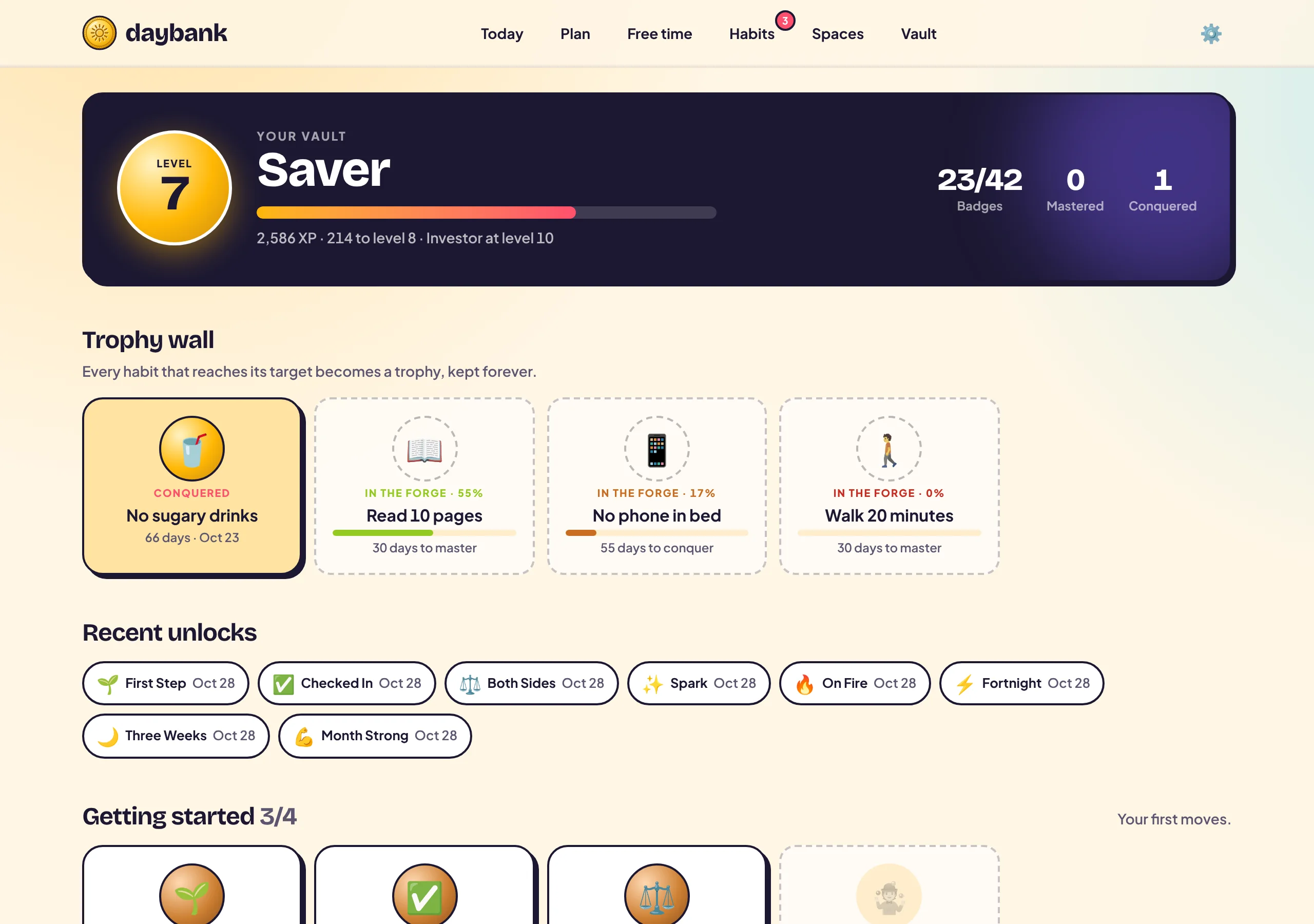
Every win, banked forever
Earn 42 badges, trophies for every habit you master or conquer, and climb from Novice to Legend. Progress you can see is progress you keep.
- ✓Badges for streaks, clean days, urges and teamwork
- ✓Trophies that stay even if you start over
- ✓XP and levels with confetti on the way
Your next 90 days are about to start anyway.
Decide what they’re for. It takes a minute to set up.
🏡 Spaces · for couples, families, friends and teams
Life is a team sport. Plan it together.
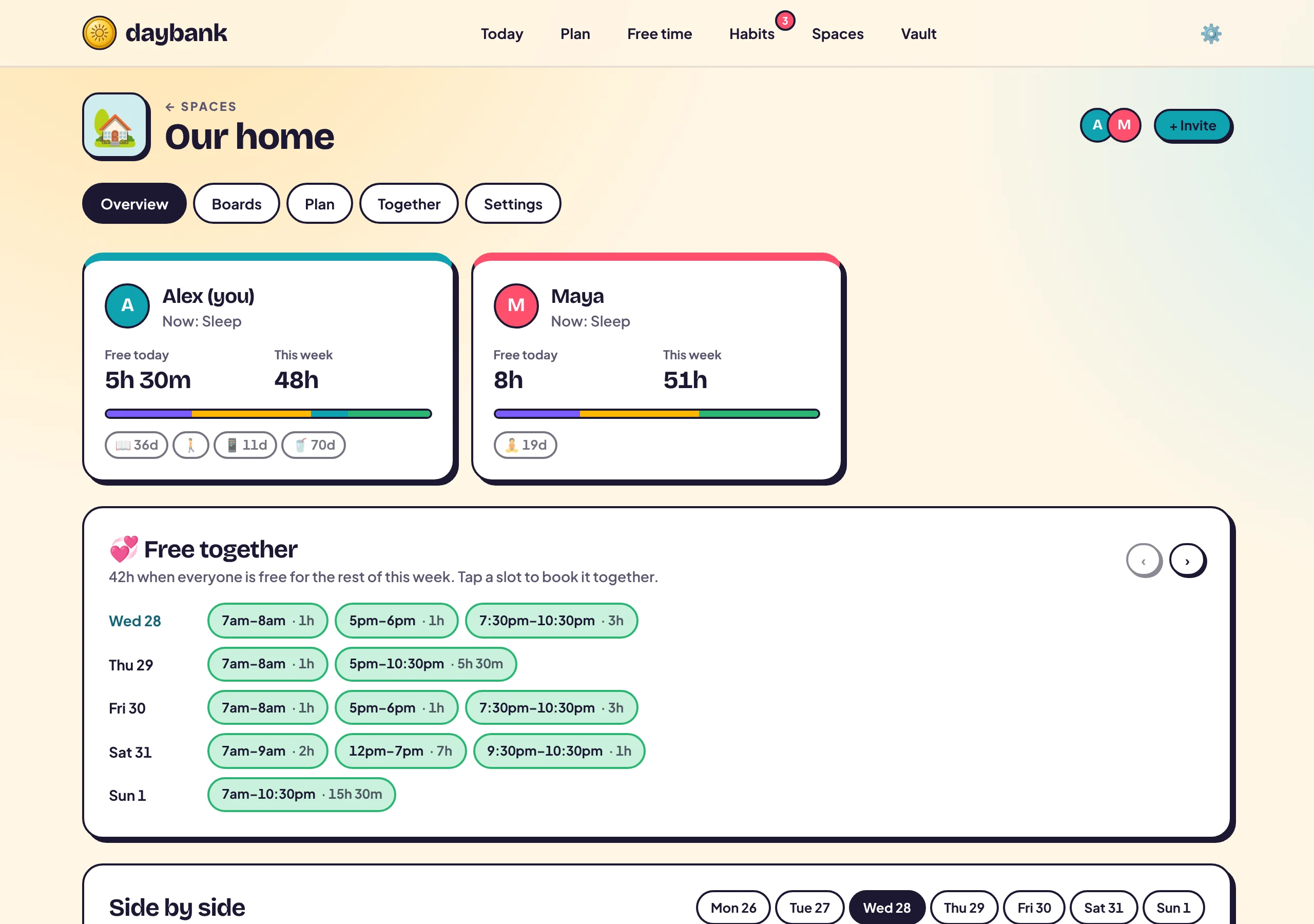
Create a Space, name it anything, invite with a link. Start from a Household template with chores already set up, then share calendars, plan the quarter and split the load fairly.
See when you’re both free
Everyone’s free time side by side, and the hours you share highlighted. Tap a slot to book it together.
Plan the quarter together
Shared goals and milestones, each with an owner.
Savings goals
Save for a trip or a home, and see every contribution.
Meal plan → groceries
Plan dinners and send the ingredients to your grocery board.
Private by default
Share details or just “Busy”. You decide, per Space.
One account, every screen
Always one glance away.
Chrome new tab
Your days left on every new tab. A gentle nudge, a hundred times a day.
iPhone & Android
Add it to your home screen in seconds. It opens full screen, like any app.
Home-screen widget
Days left, free time and habits, without opening anything.
Morning digest
One notification a day with what matters, plus alerts when someone books time with you.
Free downloads
Get Daybank on every device.
Install it in under a minute. Your days, plans and habits follow you everywhere.
Android
Phone & tablet
› How to install
- Tap Download app and open the file when it finishes.
- If asked, allow your browser to install unknown apps, then tap Install.
- Long-press your home screen → Widgets → Daybank for the home-screen widget.
iPhone & iPad
Home Screen app
Installs straight from Safari, full screen with its own icon. No App Store needed.
› How to install
- Open this site in Safari.
- Tap Share → Add to Home Screen → Add.
- Want a home-screen widget? After signing in, go to Settings → Home-screen widget.
Chrome extension
Chrome, Edge, Brave, Arc
› How to install
- Unzip the download and keep the folder somewhere permanent.
- Open
chrome://extensionsand turn on Developer mode. - Click Load unpacked, pick the folder, then open a new tab.
Mac & PC app
Its own window and dock icon
In Chrome or Edge, click the install icon at the right of the address bar.
› How to install
- Open this site in Chrome or Edge.
- Click the install icon in the address bar (or menu → Install Daybank).
Every app uses the same account and updates itself. Create your free account
Backed by research, not hype
Built on how habits really work.
The median time for a new habit to become automatic (Lally et al., 2010). Daybank’s default target.
In the same study, missing a single day didn’t derail habit formation. Daybank streaks forgive one miss; just never miss twice.
If-then plans (“If I crave a drink, then I take a walk”) gave a medium-to-large boost to reaching goals (Gollwitzer & Sheeran, 2006).
Up and running in a minute
Three steps to a fuller bank.
Sign up free
Email or Google. Your sleep and work hours are pre-filled; tweak them in seconds.
Set this quarter’s focus
Pick one focus, two or three goals, and a habit or two to build.
Check in daily
Tick habits, watch the coins, and invite someone to plan together.
Make it yours: tap a colour 👇
Eight themes, or pick any colour. Calm Lagoon is the default.
Questions, answered
Is Daybank free?+
Yes. Create an account and use every feature, including Spaces with your partner, family or friends. No credit card needed.
What does “days in the bank” mean?+
Daybank counts the days left in your week, month, quarter and year and shows them as coins. Spent days fade; the rest are still yours to spend.
Can I share it with my partner or family?+
Yes. Create a Space (Household, Couple, Family, Friends or Team), invite people with a link, and plan, split chores and find free time together. You choose what you share; private bookings just show as “Busy”.
Does it work on my phone?+
Yes. Download the Android app, add it to your iPhone’s Home Screen from Safari, add a home-screen widget, and turn on notifications. There’s also a Chrome extension for your new tab.
Is my data private?+
Your data is tied to your account and only shared with Spaces you join, at the level you choose. You can export everything any time.
Today is a coin. Don’t let it fall through the cracks.
Join free in 30 seconds. Bring your partner when you’re ready.